· 4 min read
Listen to Research Papers with VivaLeX: How the AI PDF Reader Works
Learn how VivaLeX turns research papers and science PDFs into synchronized listening sessions with page analysis, natural speech, highlighted text, and saved audio.
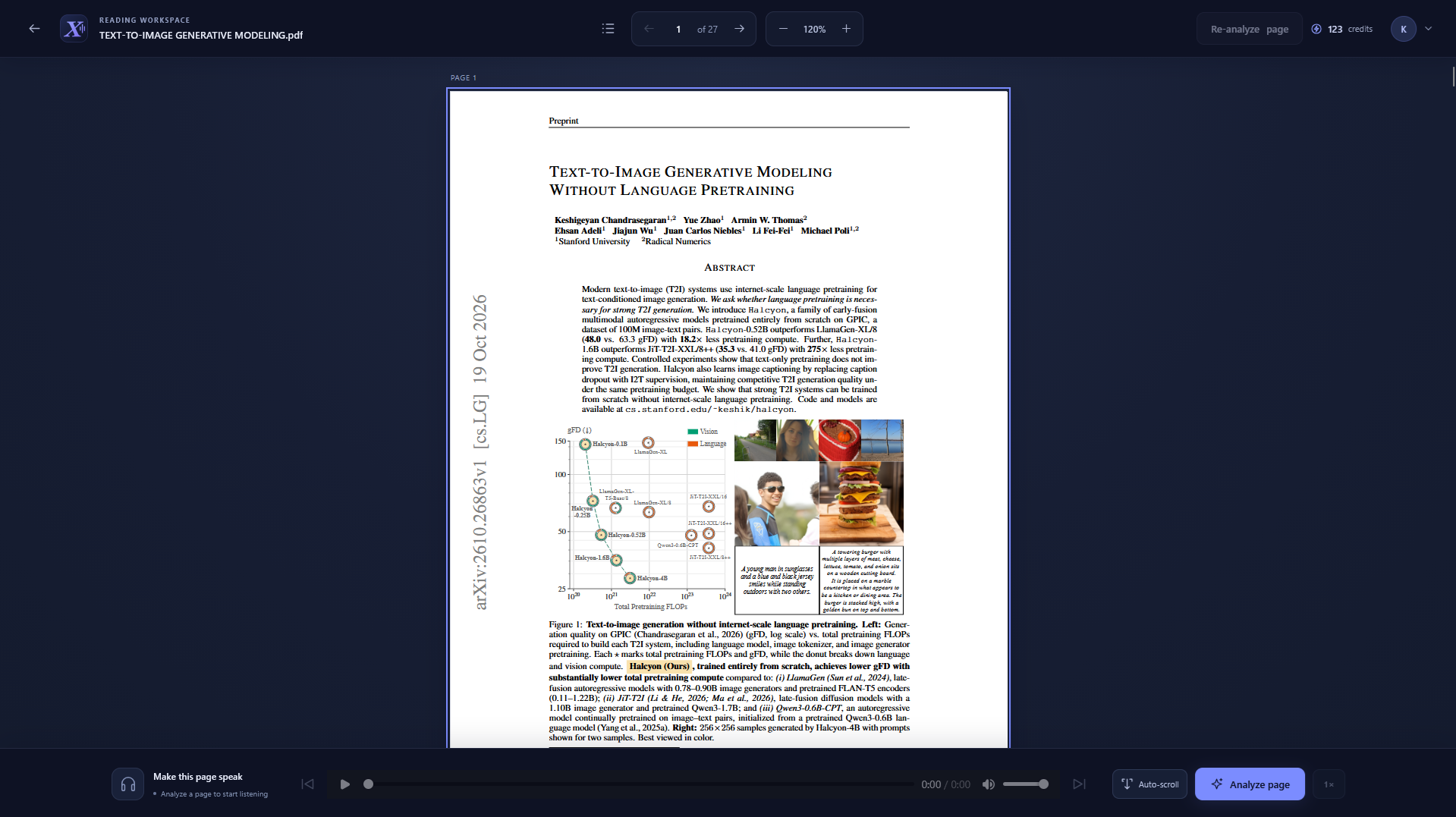
Research papers are full of ideas worth understanding, but finding time to sit and read every page can be difficult. VivaLeX turns a science PDF into a listening experience, with spoken text connected to its place on the page so you can listen and follow along.
You can use it at your desk, while reviewing a paper on a second screen, or whenever listening fits better than reading. Here is how VivaLeX works and what you can do with it.
What is VivaLeX?
VivaLeX is an AI-assisted PDF reader made for scientific and technical material. Upload a paper, open it in the reader, and process a page to hear its text read aloud. As the narration plays, the corresponding text area is highlighted, helping you keep your place in the original document.
It brings together a PDF library, page-by-page text analysis, text-to-speech, and synchronized reading controls in one app. Rather than replacing the paper with a plain transcript, VivaLeX keeps the document visible while you listen.
How does VivaLeX turn a PDF into audio?
The reading workflow has a few steps:
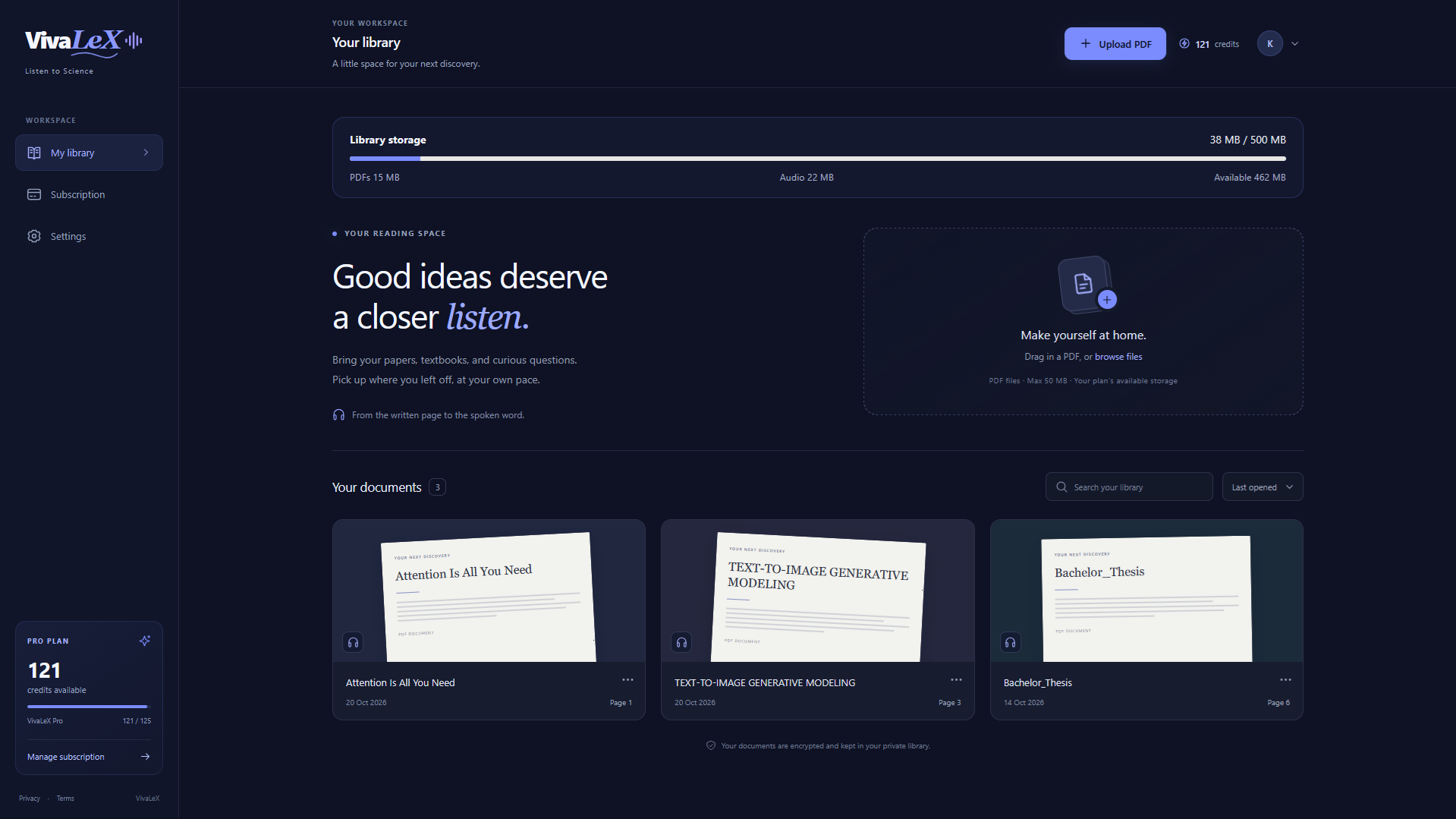
- Add a PDF to your library. Sign in with Google and upload a research paper or another supported PDF. Your documents remain available in your library across sessions.
- Choose a page to process. VivaLeX examines the page and identifies the text regions that can be read. This page analysis also maps the text to positions on the PDF.
- Generate the narration. The page text is turned into speech and divided into ordered audio sections.
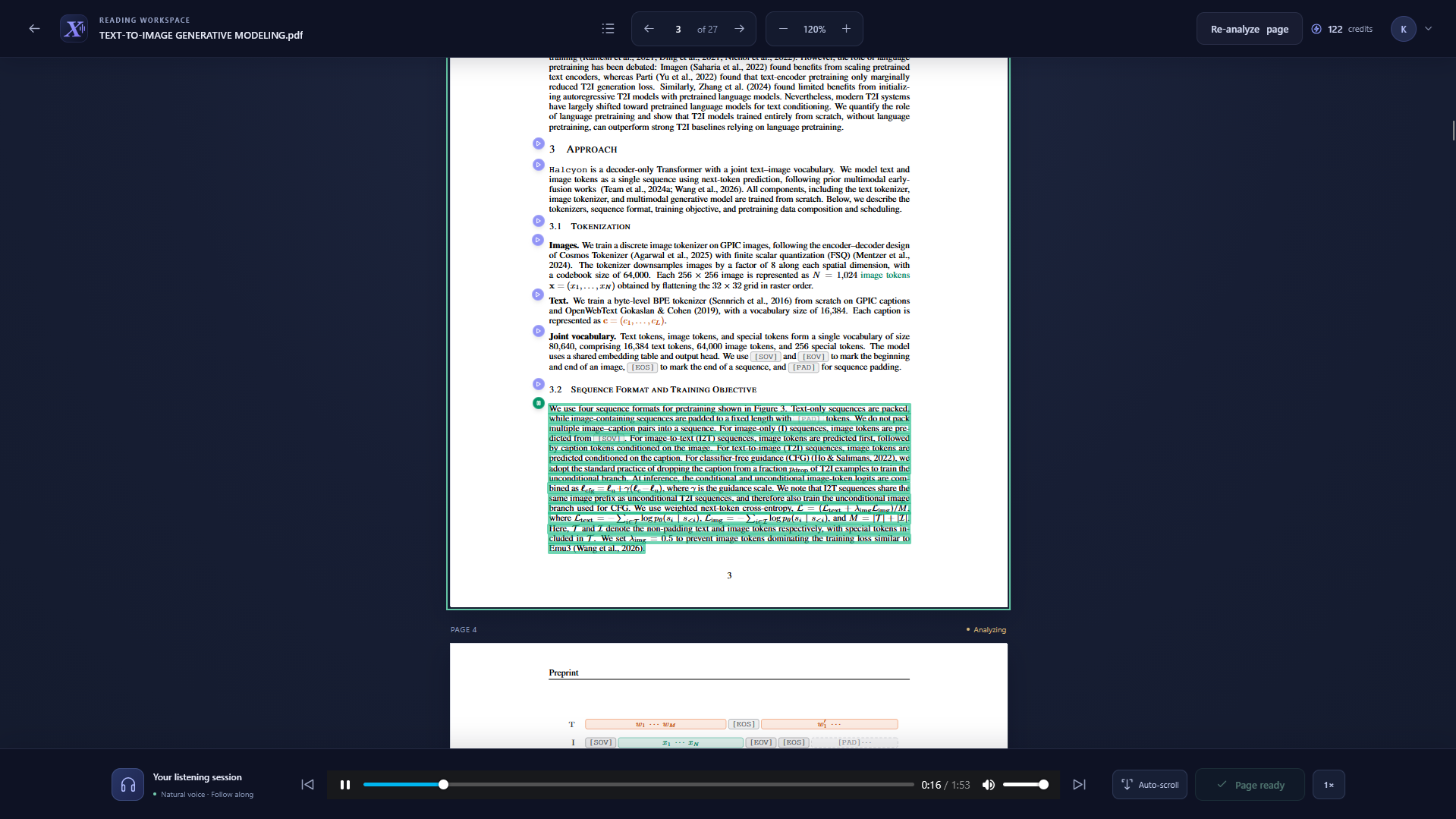
- Listen and follow along. Start playback to hear the page. VivaLeX highlights the matching text region as each section plays.
- Continue reading. Move to another page when you are ready, or enable page preloading so upcoming pages can be prepared ahead of time.
The analysis and narration are handled as one page-processing action. Processing a page uses a credit; reopening a page with saved audio lets you listen again without processing it again. If the result needs improvement, you can choose Re-analyze page to run the page through the full process again.
Features for listening to science PDFs
Follow the paper while you listen
VivaLeX keeps the PDF page on screen and highlights the text region being spoken. You can see where the narration is coming from without switching between a PDF and a separate audio transcript.
Use page-by-page processing
Process the pages you want to hear. This makes it easier to start with a section, check the reading quality, and continue through a longer paper at your own pace.
Keep prepared audio for later
Completed page audio is saved with the document, so you can return to a processed page and listen again without repeating analysis or spending another credit. The audio retains the order of its sections, allowing playback to follow the page naturally.
Choose when pages preload
Page preloading can prepare upcoming pages before you reach them. You can adjust this in Settings; it is useful when you want fewer pauses during a listening session. Preloading uses credits for pages that still need processing, while already prepared pages can be reused.
Control the reading position
Playback and page navigation let you move through the document at your own pace. Optional auto-scroll can keep the active reading area in view as the audio continues. You can leave it off and move around the PDF yourself.
Clear audio without removing the PDF
Saved audio can be cleared for an individual document, or cleared from Settings. This removes the saved narration while keeping the PDF in your library, so you can manage storage and process pages again later if you choose.
Made for equations, figures, and real research papers
Scientific PDFs do not always behave like ordinary prose. They can contain equations, multi-column layouts, footnotes, diagrams, and pages with little or no readable text. VivaLeX analyzes pages individually and connects its narration to text regions on the page.
As with any AI-assisted reading tool, results can vary with the PDF’s layout and scan quality. If a page’s narration is not useful, re-analyze that page. A page without readable text can simply be skipped as you continue through the paper.
Who might use VivaLeX?
VivaLeX can be useful for students reviewing course readings, researchers revisiting papers, and curious readers working through science and technical PDFs. Listening can complement focused reading: use it to revisit a section, follow a paper while taking notes, or make progress when you would rather listen.
Start listening with VivaLeX
Sign in, upload a PDF, and process a page to try the reader. Start with a paper you already know, so you can compare the narration and highlights with the original page.
VivaLeX helps make research papers easier to approach by connecting the words on a PDF page to spoken audio, one page at a time.